

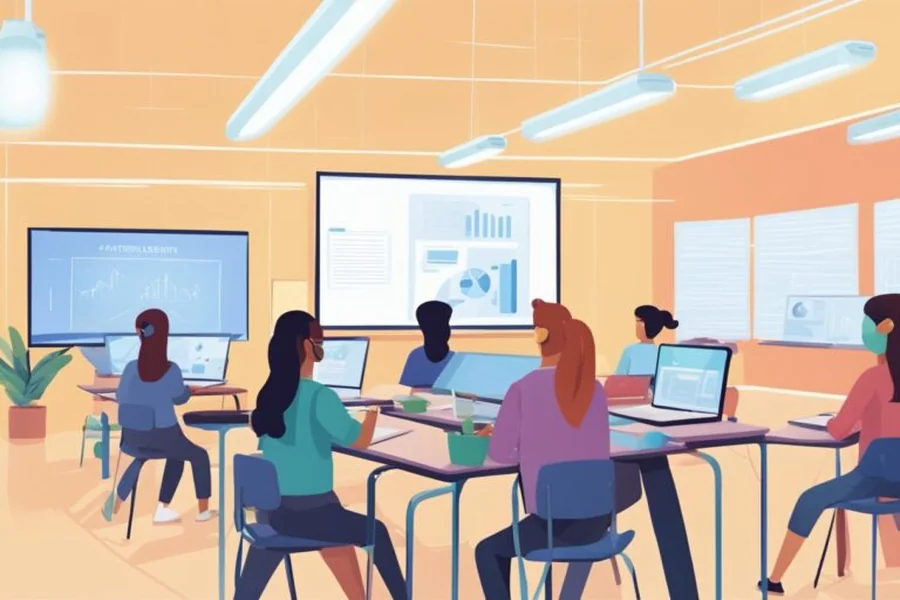
Digital learning gives students access to more information than ever, but access does not always lead to understanding. Long explanations, static diagrams, and text-heavy lessons can make it difficult for learners to stay focused, especially when they are preparing for competitive exams or learning a complex topic online. Animated visuals can solve part of this problem by showing processes, changes, and relationships in a format that is easier to follow. From a simple GIF maker used to illustrate a concept to a carefully designed educational animation, motion can turn abstract information into something students can see and understand.
What Are Animated Visuals in Educational Content?
Animated visuals are graphics that use movement to communicate information. They can include GIFs, motion graphics, animated diagrams, timelines, maps, charts, illustrations, and short instructional videos.
Unlike a static image, an animation can reveal information in stages. For example, a static diagram of the water cycle shows the complete process at once. An animated version can demonstrate evaporation first, followed by condensation, precipitation, and collection. This sequence helps students connect each stage with the next one.
The same approach works across many subjects. An animated map can show how a historical empire expanded over time. A moving geometry diagram can demonstrate how changing one angle affects another. In biology, animation can show blood moving through the heart rather than asking learners to infer movement from arrows on a page.
This distinction matters because educational animation should not mean adding movement simply to make a page look interesting. Every movement needs a learning purpose.
Key takeaway: Animated visuals use motion to explain change, sequence, relationships, or processes that may be difficult to understand from text or static images alone.
Why Can Animation Make Difficult Concepts Easier to Understand?
Students often struggle when they need to build a mental picture from written information. A paragraph can describe how something moves or changes, but learners still have to imagine that process correctly.
Animation reduces some of that work.
Consider a physics lesson on projectile motion. A textbook can explain velocity, trajectory, gravity, and horizontal displacement. A well-designed animation can display the object’s path while highlighting these forces at the relevant moment. The student sees the relationship instead of trying to reconstruct it entirely from words.
Research on multimedia learning also provides a useful framework for understanding why combining words and relevant visuals can support learning. Richard Mayer’s work on multimedia learning principles emphasizes that instructional media works best when words and pictures are designed around how people process information.
However, more animation is not automatically better. Decorative movement, flashing icons, or unrelated characters can compete with the lesson. The goal should always be to direct attention toward important information.
Key takeaway: Animation is most useful when it makes an invisible, abstract, changing, or sequential concept visible without adding unnecessary distractions.
How Do Animated Visuals Help Students Stay Focused?
Online learners face plenty of distractions. Notifications, social media, multiple browser tabs, and long study sessions all compete for attention. Educational content therefore needs to make important information easy to identify.
Motion naturally attracts attention, but educators should use this effect carefully. A short animation can signal that a new stage has started, demonstrate an important change, or draw attention to a key part of a diagram.
For example, imagine a lesson about the structure of a cell. Instead of presenting every label simultaneously, an animation can introduce the nucleus, mitochondria, cell membrane, and other components one at a time. The learner focuses on the relevant structure before moving to the next.
This staged presentation can be particularly useful in exam preparation. Learners often need to review large amounts of information, and breaking concepts into smaller visual steps can make revision feel more manageable.
Animation should still give students enough time to process each point. Fast transitions may look polished but can make a lesson harder to follow.
Key takeaway: Purposeful motion can guide a learner’s attention toward the most important part of a lesson, but excessive or rapid animation can become a distraction.
Can Animated Visuals Improve Memory and Recall?
Visual information can provide additional cues that students use when recalling a concept. Instead of remembering only a sentence, a learner may remember the sequence, position, color, or movement associated with the idea.
Suppose a student is studying the phases of the Moon. Reading the names of the phases provides one form of information. Watching an animation that connects the Moon’s position with its changing appearance provides additional context. During revision, that visual sequence may help the student reconstruct the concept.
Animated visuals can also support retrieval practice when they are combined with questions. For instance, an animation can stop before the final step and ask students to predict what happens next. This turns learners from passive viewers into active participants.
Teachers and content creators can reinforce this process by using animation alongside short quizzes, practice questions, and revision notes. For learners preparing for examinations, educational resources on nayitayari.com can similarly be organized around clear concepts followed by opportunities to test understanding.
Animation should complement active study rather than replace it. Students still benefit from solving questions, explaining concepts in their own words, and revisiting difficult material.
Key takeaway: Animated visuals can provide useful memory cues, but learners gain more value when animation is combined with active recall and practice.
How Can GIFs Be Used for Quick Educational Explanations?
Not every lesson requires a full video. A short GIF can demonstrate one repeated process without requiring the learner to press play or navigate video controls.
For example, educators can use a GIF to show:
- How a mathematical graph changes when a variable changes
- How a chemical process progresses through several stages
- How gears interact in a mechanical system
- How to perform a short computer task
- How a geographical feature develops
- How an object moves under a particular physical force
A GIF maker can help an educator turn a screen recording, diagram, or sequence of images into a compact visual explanation. The important part is keeping the GIF focused on one learning objective. If it tries to teach several concepts simultaneously, students may struggle to determine what they should notice.
GIFs also loop automatically in many contexts. Repetition can be useful for short processes, but an endlessly moving visual can distract someone who has already understood it. Where possible, learners should have controls to pause or stop moving content.
Accessibility also matters. The Web Content Accessibility Guidelines from W3C provide guidance for making digital experiences more accessible, including considerations for moving and time-based content. Important educational information should not depend entirely on animation. Supporting text, captions, or a static explanation should remain available.
Key takeaway: GIFs work best for short, repeatable demonstrations with one clear teaching goal and an accessible text or static alternative.
Which Subjects Benefit Most From Educational Animation?
Almost every subject can use animation, although the best applications differ.
Science and Mathematics
Science often deals with movement, systems, and processes. Animation can show cell division, planetary motion, electrical circuits, chemical reactions, forces, and biological systems.
Mathematics benefits when students need to see relationships change. Animated graphs, geometric transformations, and step-by-step equation solving can make patterns easier to identify.
Key takeaway: In science and mathematics, animation is particularly effective for showing processes, transformations, and relationships between variables.
History and Geography
History involves changes across time, while geography frequently involves changes across space. Both are natural candidates for animation.
A timeline can reveal events chronologically rather than displaying dozens of dates at once. Animated maps can illustrate migration, trade routes, territorial changes, weather systems, or population patterns.
The animation should still provide labels, dates, legends, and context. Movement alone does not explain why an event happened.
Key takeaway: Animated timelines and maps can make chronological and geographical change easier to follow when they include clear context.
Language and Computer Skills
Language learners can use simple animations to connect words with actions, situations, and pronunciation cues. Meanwhile, computer education can benefit from short screen demonstrations showing where to click and what happens after each action.
These demonstrations work well for practical skills because learners can watch a process and then reproduce it themselves.
Key takeaway: For practical learning, animation can demonstrate an action before asking the learner to repeat it independently.
How Should Educators Create Effective Animated Learning Content?
Good educational animation begins with a learning objective, not an animation tool. Before creating anything, educators should identify exactly what students should understand after viewing it.
A simple workflow is:
- Define one learning goal. Decide what concept or process the animation must explain.
- Remove unnecessary information. Keep only visuals and labels that contribute directly to understanding.
- Break the concept into steps. Reveal complex information in a logical sequence.
- Use text carefully. Keep labels short and place them near the relevant visual.
- Control the pace. Give learners enough time to understand each stage.
- Add accessibility support. Provide captions, descriptions, or equivalent text when needed.
- Follow with a question. Ask learners to recall, apply, or explain what they have just seen.
- Test the animation with learners. Check whether students understand the intended concept rather than merely enjoying the visual.
Educators should also think about mobile users. Many students access learning resources on smartphones, so animations need readable labels and reasonable file sizes. A beautiful visual provides little educational value if it loads slowly or the text becomes unreadable on a small screen.
Key takeaway: Start with one learning objective, simplify the visual, control its pace, make it accessible, and follow it with active practice.
What Mistakes Reduce the Educational Value of Animation?
The biggest mistake is treating animation as decoration. Moving backgrounds, bouncing icons, and unnecessary transitions may grab attention, but they can pull attention away from the lesson.
Another problem is presenting too much information at once. Students may need to follow movement, read labels, listen to narration, and remember previous information simultaneously. Simplifying each scene can reduce this burden.
Educators should also avoid using animation as a substitute for explanation. A visual may demonstrate what happens without explaining why it happens. Text, narration, examples, and practice questions can fill that gap.
Finally, creators should avoid assuming that every learner prefers motion. Giving users control over playback and providing alternative formats creates a more flexible learning experience.
Key takeaway: Effective educational animation removes distractions, limits simultaneous information, explains the meaning behind the movement, and gives learners appropriate control.
How Can Animated Content Support Exam Preparation?
Exam preparation depends on understanding, revision, and practice. Animation can support all three when educators use it selectively.
During the learning stage, animations can introduce difficult processes. During revision, short GIFs and animated diagrams can provide quick reminders. During practice, an animation can become part of a question, asking learners to identify the next stage, explain a change, or predict an outcome.
This approach is especially useful for topics where students often memorize facts without understanding the underlying process. A learner who understands why something happens has a stronger foundation for answering unfamiliar questions than someone who has only memorized a definition.
Still, exam preparation should include plenty of non-animated practice. Students eventually need to answer questions under test conditions, so animated lessons should lead toward independent recall and problem-solving.
Key takeaway: In exam preparation, animation works best as a bridge from explanation to understanding, revision, and independent question practice.
Frequently Asked Questions
Do animated visuals always improve learning?
No. Animation helps when movement explains something meaningful, such as a process, sequence, or change. Unnecessary movement can distract learners.
Takeaway: Use animation because the concept needs movement, not simply because animation looks engaging.
Are GIFs useful for students?
Yes, especially for short processes that benefit from repetition. Keep them simple and provide supporting text when the GIF contains important educational information.
Takeaway: Educational GIFs are most effective when they demonstrate one short concept clearly.
How long should an educational animation be?
There is no single ideal length. It should be only as long as necessary to explain its learning objective. A simple process may need a few seconds, while a complex lesson may require several minutes.
Takeaway: Match animation length to the complexity of the concept rather than aiming for an arbitrary duration.
Can animation replace textbooks and written explanations?
No. Animation is one instructional format. Written explanations, diagrams, examples, discussion, and practice questions remain valuable and often work best together.
Takeaway: Animation should complement other learning materials rather than replace them.
What makes an educational animation effective?
An effective animation has a clear purpose, relevant visuals, readable labels, suitable pacing, minimal distractions, and an opportunity for learners to apply what they have learned.
Takeaway: Good educational animation prioritizes understanding over visual effects.
Conclusion: How Should Animated Visuals Fit Into Modern Learning?
Animated visuals can make educational content more engaging because they show information that words and static pictures cannot always communicate efficiently. They can reveal a process step by step, direct attention to important details, provide useful memory cues, and make abstract ideas easier to visualize.
Their value, however, depends on thoughtful design. Educators and learning platforms should use motion when it serves a clear instructional purpose, keep animations simple, consider accessibility, and connect visuals with questions and active practice. For students preparing for exams, this balance is especially important. Engaging content should not merely hold attention. It should help learners understand a concept well enough to recall and apply it independently.
Key takeaway: The goal of educational animation is not to make every lesson move. It is to use movement strategically so students can understand difficult concepts, remember key ideas, and apply their knowledge with greater confidence.
